 blog
blog
Best POS Systems for Small Business in 2026
Table of Contents
- What the Best POS Systems for Small Business Get Right
- Quick Comparison: POS System Costs and Fees
- How to Choose a POS System in 6 Steps
- Step 1: Map Your Daily Transactions
- Step 2: Compare Processing Rates Line by Line
- Step 3: Read the Contract Before You Sign
- Step 4: Size Your Hardware to Your Counter
- Step 5: Check Inventory and Reporting Depth
- Step 6: Test Support Before You Commit
- Match the System to Your Operating Model
- A Simple Scoring Rubric
- POS Hardware for Small Business: What You Actually Need
- POS Systems for Retail: Inventory, Barcode Scanning, and Reporting
- Square Alternatives to Consider Before You Commit
- Conclusion
- Frequently Asked Questions
Last Updated: October 14, 2026
What the Best POS Systems for Small Business Get Right
The best POS systems for small business do three things well: accept payments reliably, keep costs predictable, and avoid contracts owners can't escape.
At DCATMP, we've spent over 20 years working with merchants on payment processing, and the pattern is consistent: owners who understand their processing rates and contract terms pay far less than those who picked a system on hardware looks alone.
What separates a good system from a great one is fit, a food truck has different needs than a three-location boutique.
Quick Comparison: POS System Costs and Fees
POS system costs break into four buckets: monthly software fees, payment processing rates, hardware, and add-ons. Knowing which bucket eats your margin is the fastest way to compare options fairly.
| Cost Category | What It Covers | Typical Structure | Watch For |
|---|---|---|---|
| Monthly software fee | Register software, reporting, support | Flat monthly or tiered | Per-terminal charges |
| Processing rates | Card transaction handling | Percentage plus per-transaction fee | Bundled vs. itemized rates |
| Hardware | Terminal, reader, cash drawer | Upfront purchase or free placement | Lease terms and buyout clauses |
| Add-ons | Loyalty, inventory, integrations | Per-feature monthly fee | Features you assumed were included |
A common mistake is comparing only the monthly software fee. Processing rates usually dwarf software costs at real volume, a small restaurant processing thousands monthly feels a rate difference far more than a software fee difference.
Flat-Rate vs. Interchange-Plus: The Two Pricing Models
Nearly every processor prices card acceptance one of two ways, and the model matters more than the headline percentage.
- Flat-rate pricing charges one blended percentage plus a per-transaction fee on every card, regardless of card type. It is simple to forecast and easy to compare across providers, but you overpay on debit and basic credit cards, which cost the processor far less to accept.
- Interchange-plus pricing passes through the card networks' interchange and assessment costs and adds a fixed markup on top. It is typically cheaper at volume and more transparent, but the monthly statement is harder to read and often carries a monthly minimum or gateway fee.
A useful rule of thumb: flat-rate tends to win for businesses processing a few thousand dollars a month, while interchange-plus wins once monthly card volume climbs into the tens of thousands. The crossover depends on your card mix, a shop taking mostly debit benefits from interchange-plus sooner than one taking rewards-heavy credit cards.
A Realistic Monthly Cost Scenario
Published "starting at" prices rarely reflect what a business actually pays. Here's how the four buckets stack for a hypothetical single-location coffee shop doing $25,000 per month in card sales, using commonly published structures:
| Line Item | Assumption | Monthly Cost |
|---|---|---|
| Software subscription | One terminal, mid-tier plan | $60-$100 |
| Processing (flat-rate) | 2.6% + $0.10 per transaction, ~1,500 transactions | ~$800 |
| Processing (interchange-plus) | ~1.8% effective + $0.10 per transaction | ~$600 |
| Hardware | Terminal + reader + drawer + printer, amortized over 24 months | $40-$70 |
| Add-ons | Loyalty + inventory module | $30-$60 |
| Estimated total | $730-$1,030 |
Run the same math for your own volume before comparing quotes. A provider that looks $20 cheaper on software can cost $200 more per month on processing, the line that scales with your sales.
Contract Terms That Change the Math
Two contracts with identical rates can produce very different total costs once you account for:
- Cancellation fees, often a flat penalty or the remaining months of the term.
- Equipment leases, a leased terminal may carry a buyout clause that costs more than buying outright.
- Payment holds, some processors reserve a percentage of daily sales as a rolling reserve, which ties up cash even when rates look competitive.
Pricing depends on your volume, business type, and card mix, so request current quotes in writing rather than relying on published starting prices. The goal isn't the lowest sticker price, it's the lowest total cost you can actually exit.
How to Choose a POS System in 6 Steps
Choosing a POS system is a six-step process: map your transactions, compare processing rates, read the contract, size your hardware, check inventory and reporting, and test support before committing. Skipping any step surfaces as a surprise fee or missing feature three months in. What most guides skip: the right answer changes with how your business operates, a solo mobile seller and a two-location shop shouldn't shop for the same system.
Step 1: Map Your Daily Transactions
Write down how customers actually pay you. Count card swipes, cash sales, online orders, and mobile or contactless payments separately, and note your average ticket size and monthly card volume. This shows where processing fees hit hardest and whether you need multichannel selling, a business taking most payments online has different processing needs than one taking everything at a counter.
Step 2: Compare Processing Rates Line by Line
Ask every provider for itemized rates: percentage per transaction, per-transaction fee, and any monthly minimum. Bundled "flat" rates often hide higher card-present costs. If your volume justifies interchange-plus, ask for that quote too and compare the effective rate, total processing cost divided by total card sales, not the advertised percentage.
Step 3: Read the Contract Before You Sign
Look for the cancellation fee, contract length, and whether equipment is leased or owned. No long-term contracts and no cancellation fees are worth more than a slightly lower rate, because they let you leave if service disappoints. Also check auto-renewal language and any rolling reserve withholding a percentage of daily sales.
Step 4: Size Your Hardware to Your Counter
Match hardware to your space and staff count, not a feature brochure, a single counter needs less than a multi-station restaurant. Decide up front whether to buy equipment outright or accept free placement tied to processing volume; free placement removes upfront cost but only makes sense if rates stay competitive.
Step 5: Check Inventory and Reporting Depth
Confirm the system tracks stock the way you sell. A retail shop needs barcode scanning and inventory management; a cafe may need modifier tracking. Ask how data exports work, what formats are available, and whether you can pull full transaction and customer history if you switch providers.
Step 6: Test Support Before You Commit
Call support at an odd hour. A restaurant that never closes needs a real person at 2 AM, not a chatbot loop. Note the response time and whether the person can resolve a payment issue, not just log a ticket.
Match the System to Your Operating Model
The biggest mistake small businesses make is shopping as if "small business" were one category. It isn't. Use these profiles to narrow the field before comparing providers:
- Solo operators and mobile sellers, prioritize a card reader that pairs with a phone, no monthly minimum, and instant or next-day deposits. Hardware should fit in a pocket, and the contract should be month-to-month.
- Single-location retail shops, prioritize barcode scanning, variant and size tracking, and inventory that syncs between in-store and online sales. A cash drawer and receipt printer are worth the upfront cost here.
- Restaurants and cafes, prioritize modifier and table tracking, kitchen tickets, and 24/7 support. Processing volume is usually high enough that interchange-plus pricing is worth evaluating.
A Simple Scoring Rubric
To compare candidates fairly, score each 1 to 5 on the criteria that matter most to your model, then weight them. A workable starting set:
- Total monthly cost at your real volume (weight highest)
- Contract flexibility, month-to-month vs. multi-year, cancellation terms
- Processing transparency, itemized rates and effective rate
- Feature fit, inventory, reporting, loyalty, integrations you will actually use
- Support, hours, channels, and response time you verified yourself
- Data portability, export options and what happens to your data if you leave
Add the weighted scores and compare. The highest score is rarely the cheapest option, it's the one whose total cost and terms you can live with as your business changes.
POS Hardware for Small Business: What You Actually Need
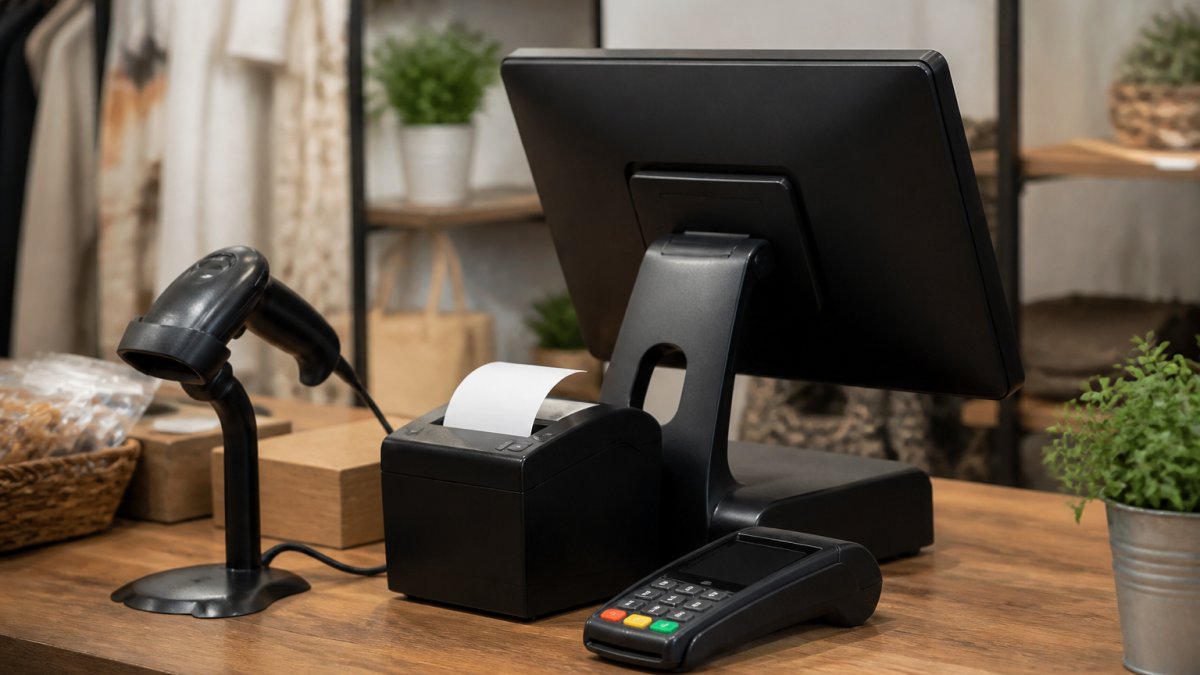
Small business POS hardware comes down to four pieces: a payment terminal or tablet, a card reader, a cash drawer, and a receipt printer.
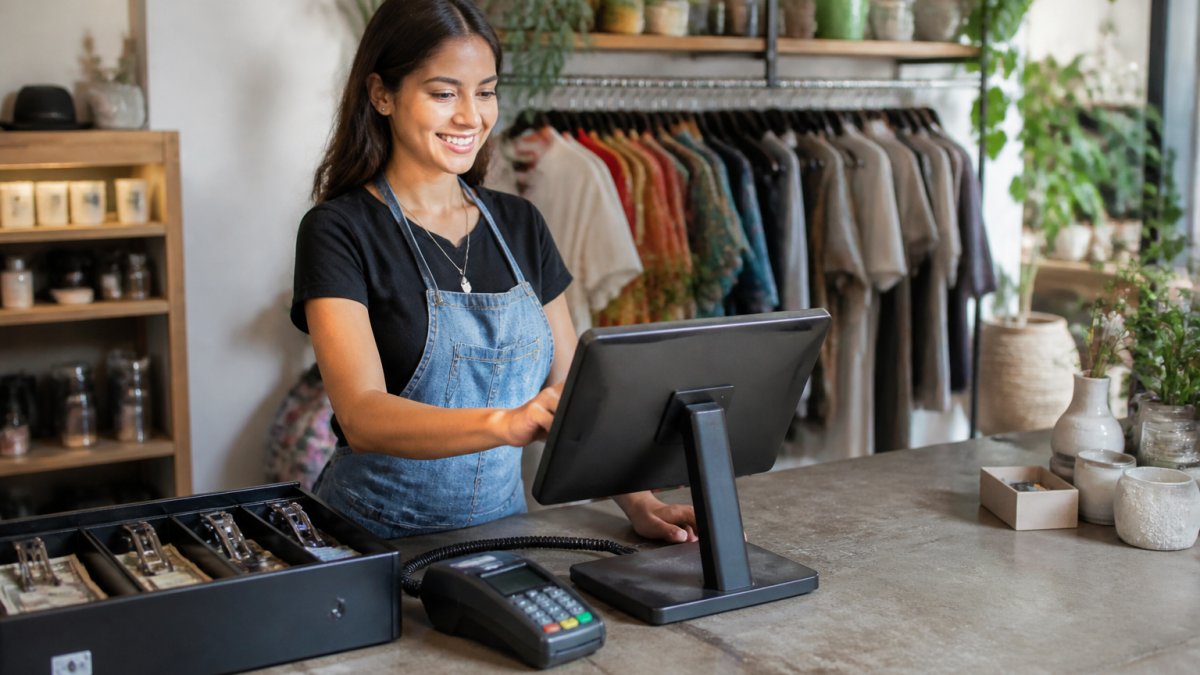
What most guides miss: hardware cost structure matters more than specs. Some providers sell terminals outright; others place free equipment in exchange for processing volume.
If you're comparing options, ask whether equipment is free for qualifying businesses and whether you own or lease it.
POS Systems for Retail: Inventory, Barcode Scanning, and Reporting
Retail POS systems live or die on inventory accuracy. A system that can't track stock across sizes, variants, or locations costs you sales through stockouts and unexplained shrink.
The features that matter most for retail:
- Barcode scanning for fast checkout and accurate stock counts
- Inventory management that updates across in-store and online sales
- Sales reporting that shows which items actually move
- Customer management and loyalty tools to drive repeat visits
Customer loyalty and gift card programs are often bundled with card processing, which is worth asking about before you pay separately for them.
Square Alternatives to Consider Before You Commit
Common reasons owners look at Square alternatives:
- Processing rates that don't fit their transaction mix
- Long-term contracts or cancellation fees they want to avoid
- Need for crypto payment acceptance while still getting paid in USD
- Wanting free terminal placement without upfront equipment costs
For businesses in this position, DCATMP offers merchant services with no long-term contracts, no cancellation fees, and no upfront equipment costs for qualifying businesses, plus crypto payment integration that settles in USD.
For owners who need working capital, fast funding without a credit check is available, which matters when cash flow is tight and a week's wait isn't an option.
If you're evaluating any provider, compare on the same terms: itemized rates, contract length, hardware ownership, and support hours. Ask for a quote and read it against your own transaction map.
Conclusion
The hardest part of choosing a POS system isn't features, it's terms you can live with for years. Rates drift, volumes change, and a contract you can't exit becomes a tax on every sale.
DCATMP has spent over 20 years helping businesses get payment processing that fits: no long-term contracts, no cancellation fees, free terminals and touchscreen POS systems for qualifying businesses, crypto payments settled in USD, and real 24/7 support.
Frequently Asked Questions
How much does a POS system cost for a small business?
Costs depend on how you buy: monthly software fees, per-transaction processing rates, and hardware. Some providers bundle free terminals and touchscreen POS systems with a processing agreement, while others charge monthly per terminal. Processing rates typically range from interchange-plus to flat-rate pricing. Because totals vary by sales volume, ask each provider for a written, itemized quote that separates software, hardware, and transaction fees before you compare.
What should a small business look for in a POS system?
Start with the features you use daily: barcode scanning, inventory management, sales reporting, and card reader support. Then check the contract terms, including cancellation fees and whether rates can change mid-term. Offline mode matters if your internet drops, and data portability matters if you switch later. A system that fits your transaction volume and operating model beats one with the longest feature list.
Can a POS system manage inventory and sales?
Yes. Most modern POS software tracks stock levels as items sell, flags low inventory, and produces sales reports by item, category, and time period. Barcode scanning speeds up checkout and reduces entry errors. For retail stores, look for purchase order support and stock tracking across multiple locations if you plan to expand. These tools replace manual spreadsheets and give you daily numbers you can act on.
Do small businesses need a POS system to accept credit cards?
No, but a POS system makes accepting cards easier and gives you more than payment processing. A basic card reader can take payments, but a POS adds sales tracking, inventory management, and reporting in one place. If you process in-person payments daily, a POS reduces manual work and gives you data to make buying and staffing decisions. Businesses with very low volume can start with a simple terminal and upgrade later.