 Listicle
Credit Card Processing for Restaurants: 7 Options Compared
Last Updated: November 4, 2026
Quick Summary
Credit card processing for restaurants is a major recurring cost, and the fee structure matters more than the headline rate. Compare total cost, including interchange, processor markup, and add-on fees, using your own statements and written quotes from at least two or three providers.
- Industry estimates put many restaurants at 2% to 4% of revenue on card processing fees, though this comes from a secondary source.
- Every card sale carries interchange, network assessments, processor markup, and add-on fees, and only markup is negotiable.
- Pull three months of statements and divide total fees by total volume to get your current effective rate.
- Ask every provider to price PCI fees, chargeback fees, hardware, gateway fees, and early-termination fees in writing.
- Test tip adjustments and split checks during a trial period before switching processors.
Table of Contents
- Why Restaurant Card Processing Costs Vary So Much
- How Restaurant Card Transactions Actually Work
- Seven Restaurant Payment Processors Compared
- Restaurant Credit Card Processing Fees: How to Compare Real Costs
- Restaurant Surcharge Laws and Cash Discount Rules
- POS System Payment Integration: What to Check Before Switching
- Choosing Your Restaurant's Processor and Making the Switch
- Frequently Asked Questions
Why Restaurant Card Processing Costs Vary So Much
Credit card processing for restaurants is one of the largest recurring costs many operators never fully track. Bank of America Institute data shows restaurant spending grew 3.3% year over year through July 2026, so card volume keeps climbing for many operators Bank of America Institute restaurant spending data.
The fee structure, not the headline rate, drives most of the variation. Industry estimates suggest the average restaurant spends between 2% and 4% of total revenue on card processing fees, though that range comes from a secondary source and should be checked against your own statements restaurant processing fee estimates.
How Restaurant Card Transactions Actually Work
A card payment passes through several parties before the money lands in your account.
Each step carries a cost. The interchange fee goes to the card-issuing bank, the assessment fee goes to the card network, and the processor's markup covers its service.
Restaurants add complexity that retail rarely faces. Tableside payments, split checks, tip adjustments, and card-present versus card-not-present transactions can all affect how a sale is processed. Confirm that your system handles these cleanly before you sign.
Seven Restaurant Payment Processors Compared
Most provider roundups for restaurants rank companies by brand recognition and then hand you a quote form. That ordering hides the two things that actually decide your cost: the pricing model each provider uses and how its contract treats you when you leave. The table below compares the seven providers on those decision points, and the sections that follow explain what to verify before you sign.
| Provider | Pricing model to expect | Contract and exit terms to verify | Restaurant fit to test |
|---|---|---|---|
| DCATMP | Quote-based; confirm interchange-plus vs. flat | No long-term contract and no cancellation fee per stated terms; confirm in writing | Card processing plus touchscreen POS; free terminal for qualifying businesses |
| Clover | Hardware-and-software bundle; rates quoted | Confirm hardware lease terms and early-termination language | All-in-one payments and POS; test tableside and tip adjustment |
| Toast | Restaurant POS bundled with payments | Confirm multi-year term, hardware cost, and termination fees | Full-service and multi-location; test coursing, split checks, and offline mode |
| Plum POS | Quote-based | Confirm term length and equipment ownership | Small and large restaurants; test menu and check-size changes |
| CDGcommerce | Quote-based; integration-led | Confirm month-to-month availability | Keeping existing hardware and software; confirm supported terminals |
| Dharma Merchant Services | Interchange-plus commonly cited | Confirm statement format and support hours | Operators who want itemized statements; verify restaurant-specific features |
| PayWavez | Transparent pricing emphasized | Confirm rate lock and any monthly minimums | Local support; request a full written fee schedule |
DCATMP
DCATMP offers free merchant and customer-facing POS systems, fast funding with no credit check required, and free ATM placement with installation, maintenance, and repair. Confirm equipment and funding terms against your own volume. Best for: operators who want to avoid long-term contracts. Skip if: you need a fixed rate locked for several years.
Clover
Clover sells payments and POS as one system, which simplifies vendor management but can make the hardware the center of the deal. Ask for the hardware price separately from the processing rate, and confirm whether the equipment is leased or owned. Watch out: a low processing quote paired with a multi-year hardware lease can cost more to exit than a slightly higher rate on a month-to-month account.
Toast
Toast is built around restaurant operations, so its value shows up in front-of-house and back-of-house workflows rather than in the headline rate. Request the full contract, including term length, hardware cost, and termination fees, and test offline card acceptance before you commit. Best for: full-service restaurants that want payments and POS from one vendor.
Plum POS
Plum POS is described as suitable for both small and large restaurants, which makes it worth a look if you expect to change size. Confirm payment rates and integrations, which were not covered in the research, and ask how the system handles a menu change or a second location.
CDGcommerce
CDGcommerce is described as integrating with restaurant hardware and software. That matters if you already run equipment you want to keep. Ask which specific terminals and POS platforms it supports, and whether it offers month-to-month terms so you are not locked in if an integration breaks.
Dharma Merchant Services
Dharma is named as a card-processing provider in several comparisons. Its restaurant-specific capabilities are not detailed in the research, so verify features before relying on them. Ask for a sample statement so you can see how fees are itemized, and confirm support hours against your service times.
PayWavez
PayWavez highlights transparent pricing and local support. Those are useful priorities, but the research does not show actual rates, so request a complete fee breakdown. Confirm whether the quoted rate is interchange-plus or flat, and ask what happens to the rate if your volume changes.
How to use this comparison
Treat the table as a shortlist, not a ranking. Request written quotes from two or three providers using the same monthly volume, average ticket, and card mix, then compare total monthly cost including hardware, PCI fees, and termination exposure. The provider with the lowest headline rate is often not the lowest total cost once contract terms and equipment are included.
Restaurant Credit Card Processing Fees: How to Compare Real Costs
Most fee guides tell you to compare total cost and stop there. The gap none of them close is how to model that total cost with your own ticket sizes, card mix, and tips, because those three inputs move the effective rate more than the advertised rate does. This section walks through the mechanics and then shows how to run the same numbers through every quote.
The four fee layers on every restaurant transaction
Every card sale carries four cost layers, and only the last one is negotiable:
- Interchange goes to the card-issuing bank. It varies by card type, so a rewards card costs more to accept than a basic debit card.
- Network assessments go to the card network and are set by the network, not your processor.
- Processor markup is the provider's revenue and the part you can negotiate.
- Add-on fees are the monthly, annual, and per-item charges that rarely appear in a headline rate.
A quote that names only a single percentage is hiding at least three of these layers. Ask for a sample statement that itemizes all four.
Build an apples-to-apples model from your own statements
Pull your last three months of statements and record five numbers: total card volume, number of transactions, average ticket, share of debit versus credit, and total fees paid. Divide total fees by total volume to get your current effective rate. That effective rate, not the advertised rate, is the number every new quote has to beat.
Then run each quote through the same inputs. A provider quoting a lower rate on credit but a higher per-transaction fee can lose on a high-ticket, low-count book and win on a low-ticket, high-count one. Restaurants with many small tickets, such as quick-service and coffee concepts, feel per-transaction fees more than full-service restaurants with larger checks.
The add-on fees that decide the comparison
Headline rates are easy to compare; add-on fees are where quotes diverge. Build a checklist and ask every provider to price each line in writing:
- Monthly account or statement fee
- Per-transaction or batch fee
- PCI compliance fee, and the non-compliance fee if you miss a deadline
- Chargeback fee, plus any dispute or retrieval request fee
- Hardware purchase, lease, or rental cost
- Early-termination fee and the length of the term
- Gateway fee if you take online orders
- Minimum monthly fee if volume falls short
A common pattern is a quote that wins on rate and loses on PCI and termination fees. Add every line to the model before you decide.
Tips, adjustments, and why your effective rate drifts
Restaurant tickets are not final at authorization. A tip is added after the card is authorized, and the final settled amount is usually higher than the authorized amount.
Watch out: if your POS and processor disagree on tip handling, your daily reconciliation will be off by small amounts that compound over a month, and the cause is easy to misread as a fee problem.
Flat-rate versus interchange-plus, in restaurant terms
Flat-rate pricing bundles all four layers into one percentage, which is simple to read and easy to budget. Interchange-plus passes interchange and assessments through at cost and adds a fixed markup, which is usually cheaper at higher volume but requires you to audit the pass-through. Neither is automatically better. Compare both against your own effective rate from the three-month model, and ask the provider to show the interchange categories your card mix actually falls into.
Restaurant Surcharge Laws and Cash Discount Rules
Surcharging and cash discounting are subject to rules that vary by state and by card network, so check the requirements that apply where you operate before adding either program.
Confirm current disclosure and framing rules with your processor and a qualified advisor.
POS System Payment Integration: What to Check Before Switching
Integration is where many switches go wrong.
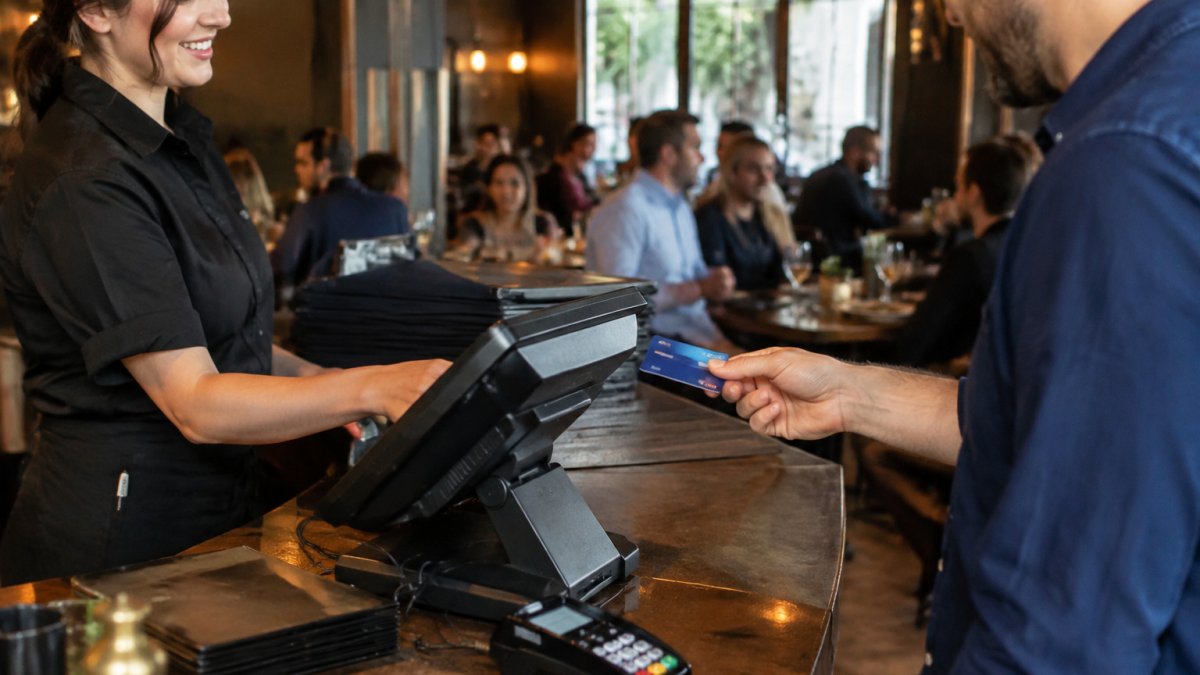
Check tipping and split-check handling, because those features break most often during a migration. Test a full day of transactions in a sandbox or on a single terminal before the cutover.
Also confirm that you can export your transaction history. Data portability matters if you ever leave the provider.
Choosing Your Restaurant's Processor and Making the Switch
Start by listing your must-haves: your POS integration, tableside payments, tip management, and online ordering. Then request written quotes from two or three providers and compare them on the same volume.
When you are ready, Request a Quote from DCATMP to compare terms for your restaurant. If you are weighing merchant services options, review our merchant services overview, or see how our credit card processing service works. For a deeper look at costs, read our low fee credit card processing guide. If you plan to upgrade hardware alongside your processor, explore our touchscreen POS systems.
Switch on a quiet period, keep your old processor active until the new one is verified, and reconcile the first week of settlements closely. Most switches run smoothly when the integration is tested beforehand.
Frequently Asked Questions
What is the typical credit card processing fee for restaurants?
Restaurant card processing costs depend on the pricing model, card type, transaction volume, and average ticket size, so no single rate applies to every restaurant. Restaurants should request an itemized statement and compare the effective rate across providers, including monthly fees, per-transaction fees, and any early-termination charges, before choosing a processor.
What is the difference between flat-rate and interchange-plus pricing?
Flat-rate pricing charges one fixed percentage plus a per-transaction fee on every card payment, which is simple to understand but often costs more on high-volume or low-ticket sales. Interchange-plus pricing passes through the card network's interchange fee and adds a fixed markup from the processor, which can be more transparent for restaurants with steady volume. Comparing both models on your own monthly statements usually shows which one costs less.
Is it legal for a restaurant to charge a surcharge for credit card payments?
Surcharge rules are set by a combination of card network rules and state law, and the rules vary by state. Some states prohibit surcharges entirely, others limit them, and some allow them with notice requirements. Card networks also impose disclosure and caps on surcharge amounts. Restaurants should confirm the rules in their state and with their processor before adding any surcharge, and should consider whether a cash discount program is permitted instead.
How do integrated POS systems affect credit card processing costs?
An integrated POS system sends card transactions to the processor without manual re-keying, which reduces errors, speeds up service, and simplifies tip adjustments and reporting. Integration itself does not always change the processing rate, but some providers bundle software or hardware with higher processing fees. Restaurants should ask whether the POS integration is native or third-party and whether it requires a specific processor, since that limits switching later.